> ## Documentation Index
> Fetch the complete documentation index at: https://helloluciallc.com/llms.txt
> Use this file to discover all available pages before exploring further.
# Known Debug Playbook
Use this page when Eval Labs generates responses but something in the run, persistence, or environment looks wrong.
***
## Symptom: Failed to fetch / transport failure
Likely cause:
* CORS
* wrong endpoint
* Engine unavailable
* network block
Check:
```text theme={"dark"}
DevTools → Console
DevTools → Network → operator-focus
```
If the browser says no `Access-Control-Allow-Origin`, fix Engine CORS allowlist.
***
## Symptom: Eval Labs responses differ from Lucia Admin Focus Ops
Likely cause:
Eval Labs and Admin are hitting different Engine environments.
Check both Network tabs.
Expected for active dev:
```text theme={"dark"}
https://api-dev.hellolucia.ai/admin/operator-focus
```
***
## Symptom: Supabase 409 on `eval_run_items`
Past bug:
The client used the wrong upsert conflict target or did not reconcile row identity correctly.
Current intended behavior:
* conflict target: `run_id,item_index`
* reuse existing row id for same run + item index
* do not delete database constraints
If this returns, inspect `src/lib/liveEvalPersistence.ts`.
***
## Symptom: Latest deploy seems ignored
Likely cause:
Old JS bundle cached in browser.
Fix:
* incognito window
* hard refresh
* verify Netlify published commit
***
## Symptom: `savedBy` is null
If the item was generated but not reviewed/saved, this is expected.
If the item was saved while logged in and `savedBy` is null, investigate tester identity capture.
***
## Symptom: `exportedBy` is populated but `savedBy` is not
This means the user exported the run, but the prompt review was not saved.
This is not automatically a bug.
***
## Debug discipline
Do not guess.
Check:
1. Network request URL
2. Response status
3. Response body
4. Current deployed commit
5. Export metadata
6. Source file owner
***
## Devtools inspecting Supabase connection with no errors
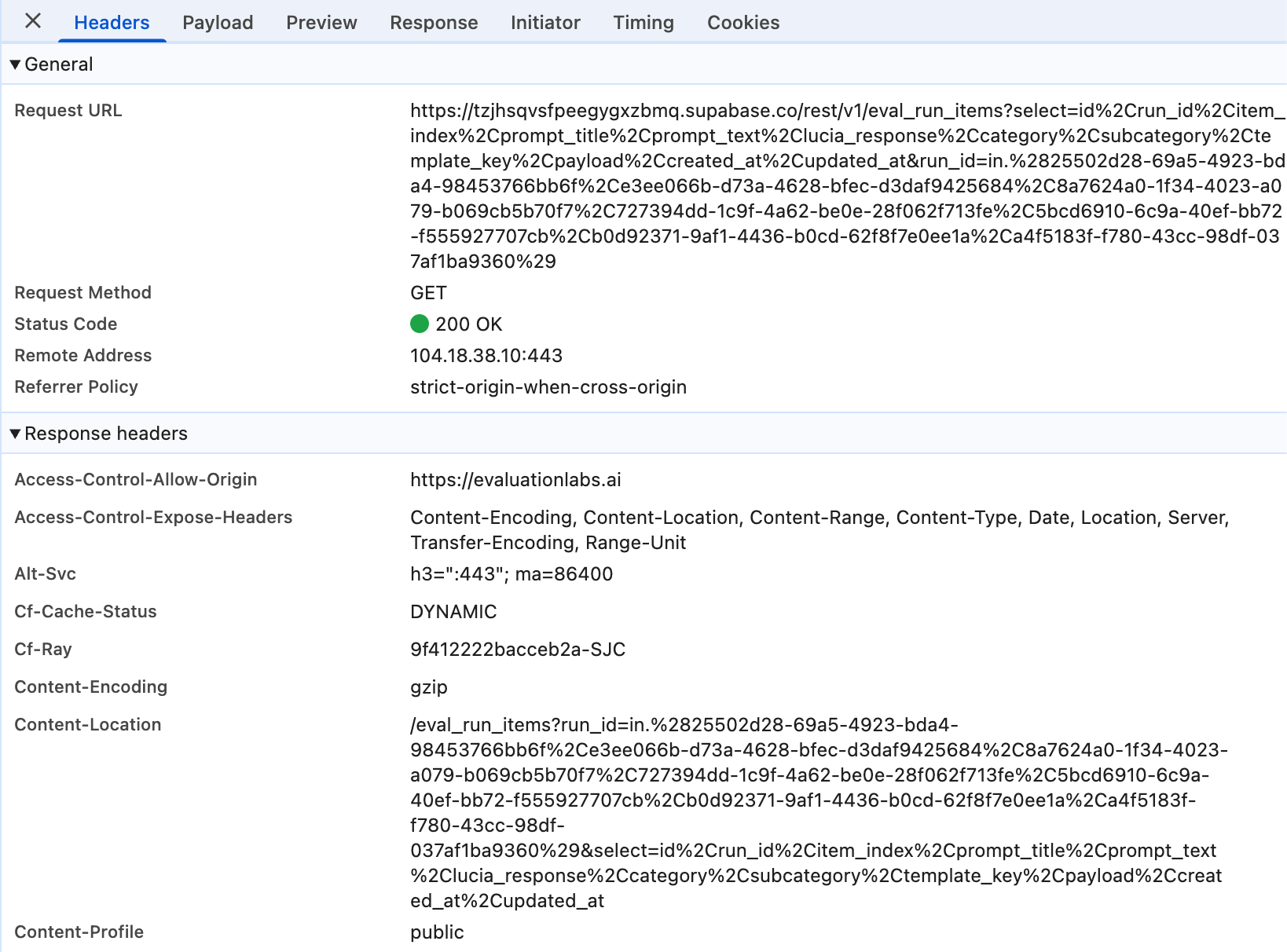 *Devtools \~ Supabase Eval Run Items. Clean persistence layer with 200 OK response.*
***
*Devtools \~ Supabase Eval Run Items. Clean persistence layer with 200 OK response.*
*Devtools \~ Supabase Eval Run Items. Clean persistence layer with 200 OK response.*
***
*Devtools \~ Supabase Eval Run Items. Clean persistence layer with 200 OK response.*